BRANDFOLIA / BRAND BOARD
Brand board examples and a free template
A brand board is a one-page summary of a brand’s visual identity: the logo and its variations, the color palette, typefaces, tagline and voice, imagery and a few examples in use. Designers, printers and new team members can apply the brand from it at a glance.
Download it free as PNG, PDF or SVG. Editing a sample or a template needs no account.
What goes on a brand board
Seven numbered sections, in the order they appear on the board.
- 01
Primary logo
The main signature in the primary color on a light panel. An uploaded logo takes its place.
- 02
Logo variations
Reversed on the primary color, a compact initial on the accent color, and black on white. An uploaded logo is shown unchanged on the three lightest backgrounds instead.
- 03
Tagline & voice
The tagline set in the display face, followed by a few lines on how the brand writes.
- 04
Color palette
Four roles (primary, base, accent and light), each with its HEX and RGB values.
- 05
Typography
The display face for the logo and headings, and Inter for body copy and interface text.
- 06
Imagery or pattern
A product photo when there is one. Otherwise the graphic motif, or the tagline when the motif is set to None.
- 07
In use
A business card front, a social post and a website hero, drawn from the same settings.
The footer marks the board as a sample or a design draft and carries the line “Made with Brandfolia Identity Studio”. Each board is one A3 landscape page: the PDF embeds its fonts, the SVG has its text converted to outlines, and the PNG is 2382 × 1684 pixels.
3 brand board examples
Each board is rendered from a saved studio sample by the same code as the studio’s Brand board download. Open a sample to change it and download your own copy.
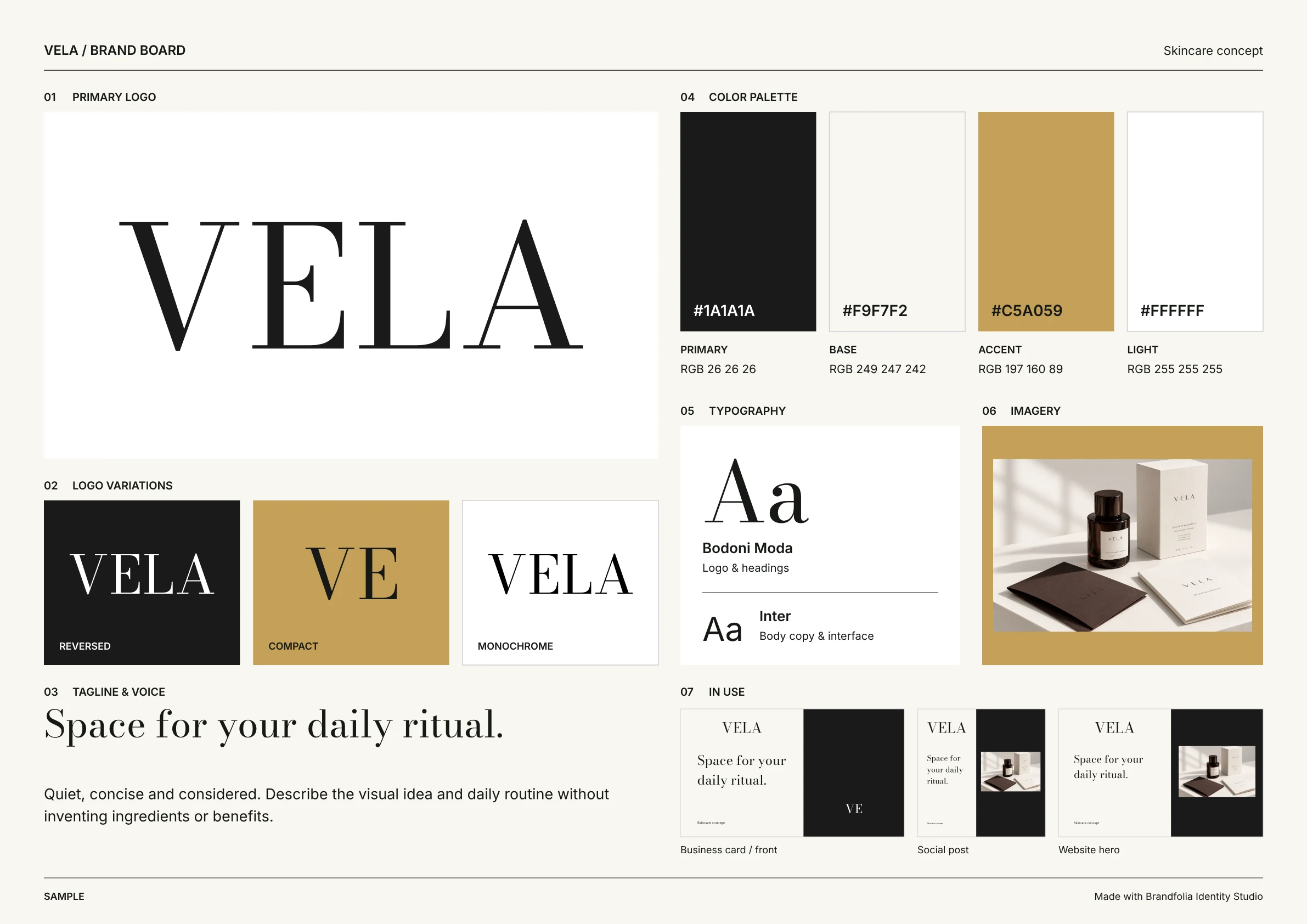
Skincare concept · Fictional sample
VELA: skincare brand board
“Space for your daily ritual.”
- Display type
- Bodoni Moda (Human & editorial)
- Palette
- Primary
#1A1A1A - Base
#F9F7F2 - Accent
#C5A059 - Light
#FFFFFF
- Primary
- Section 06
- Imagery: the sample’s product photo
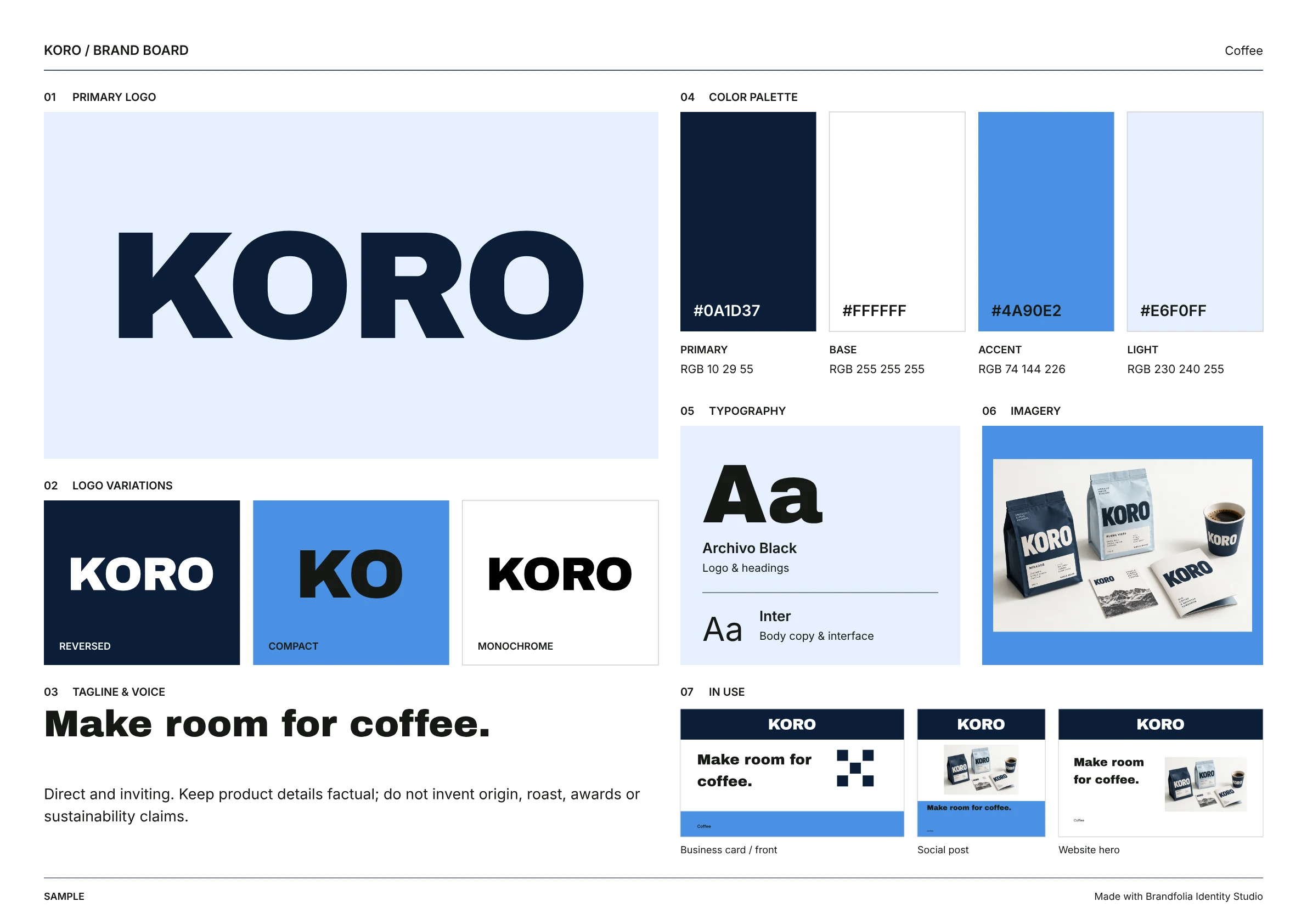
Coffee concept · Fictional sample
KORO: coffee brand board
“Make room for coffee.”
- Display type
- Archivo Black (Bold & expressive)
- Palette
- Primary
#0A1D37 - Base
#FFFFFF - Accent
#4A90E2 - Light
#E6F0FF
- Primary
- Section 06
- Imagery: the sample’s product photo
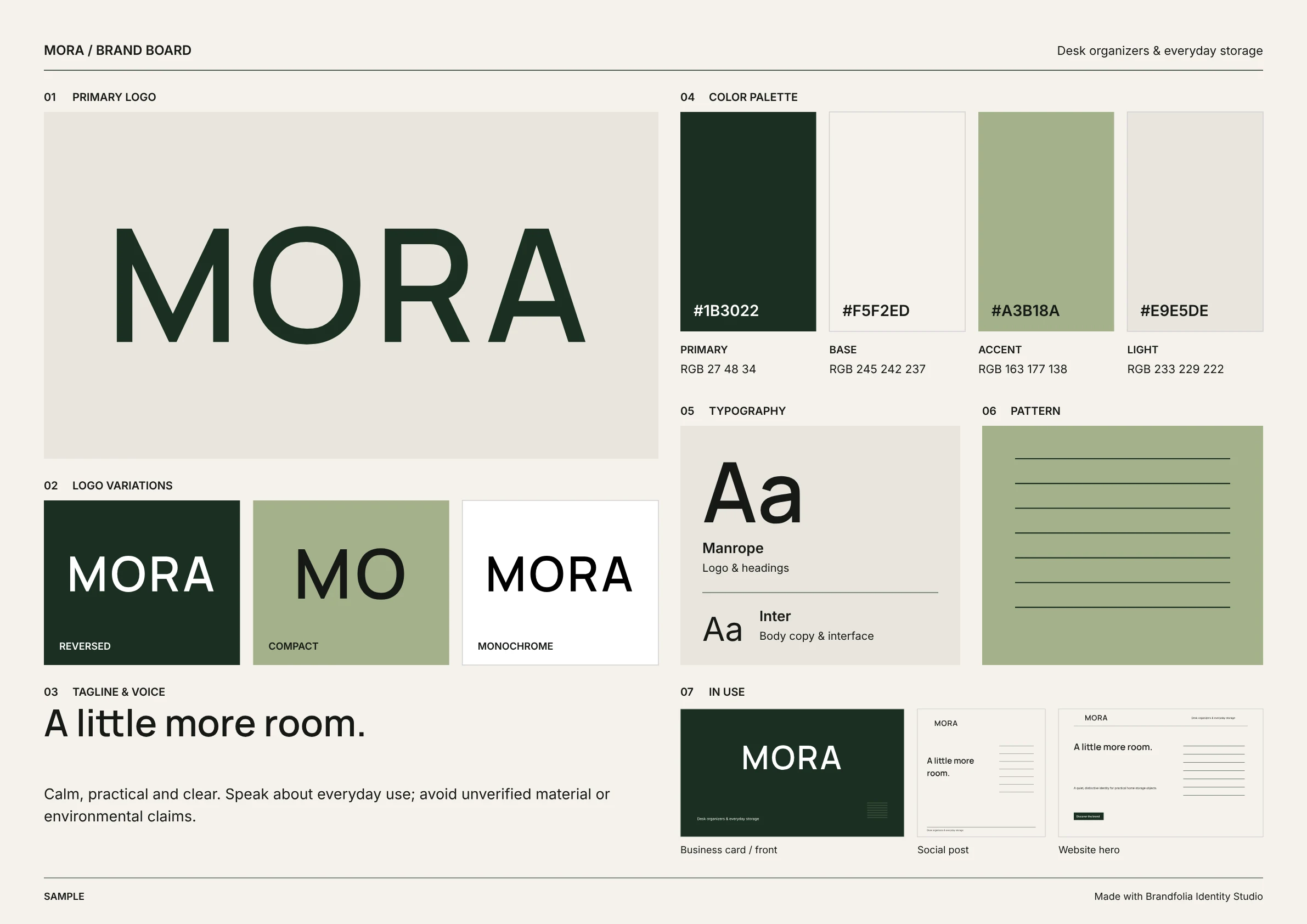
Home & living · Fictional sample
MORA: home & living brand board
“A little more room.”
- Display type
- Manrope (Considered modern)
- Palette
- Primary
#1B3022 - Base
#F5F2ED - Accent
#A3B18A - Light
#E9E5DE
- Primary
- Section 06
- Pattern: parallel lines, because the sample has no photo
Free brand board template
Two ways to start: a studio template that exports the A3 board shown above, or a static one-page sheet you fill in by hand.
Studio template: edit the fields, download the board
Each template opens with placeholder text. Replace the name, tagline and colors, then download the board as PNG, PDF or SVG.
- Considered modern templateManrope · parallel lines
- Human & editorial templateBodoni Moda · orbit
- Bold & expressive templateArchivo Black · modular tiles
Sample editing and export need no account. Creating a new AI proposal requires paid credits.
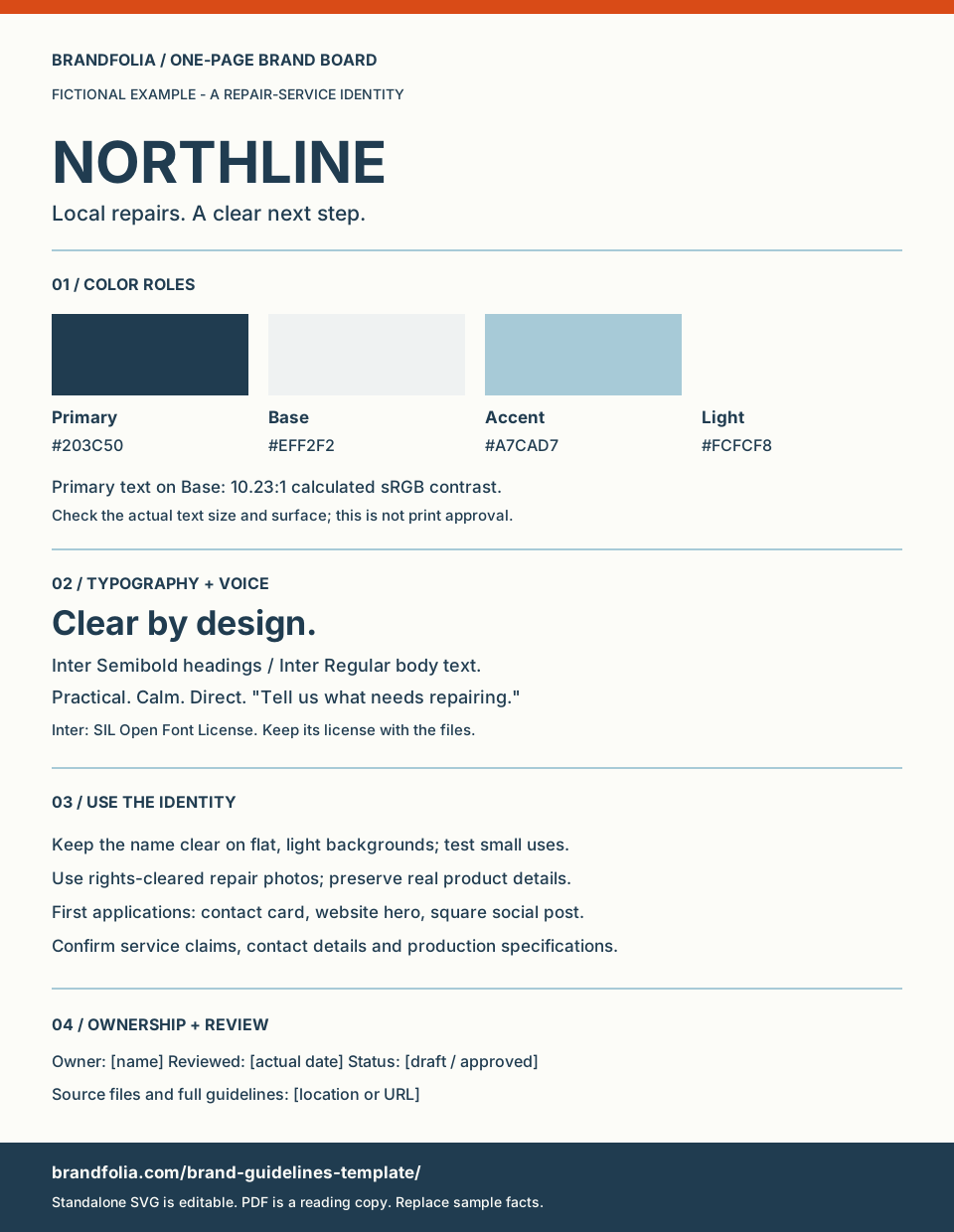
Static sheet: fill in the SVG or print the PDF
- Filled example — editable SVG
- Filled example — one-page PDF
- Blank template — editable SVG
- Blank worksheet — one-page PDF
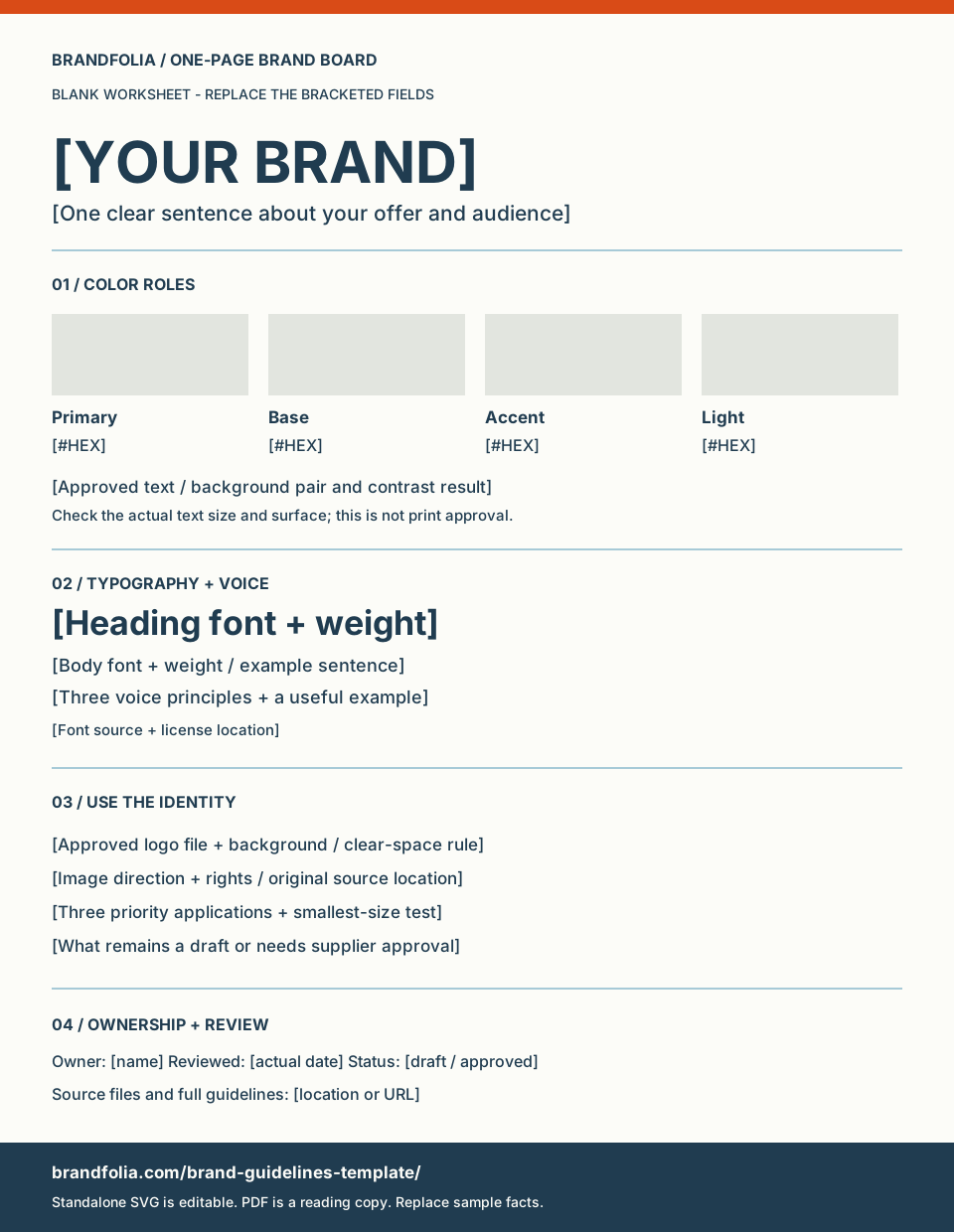
No account is needed. The SVG uses editable text and vector shapes. Use an SVG editor to replace the name, values and rules; install your chosen fonts or choose available replacements. The PDFs are reading and printing copies, with no interactive form fields.
- Duplicate the blank SVG and add your approved name or mark.
- Replace each HEX value and its corresponding swatch fill; the label and color are separate SVG properties.
- Set the heading and body fonts, then test your longest name and smallest text.
- Record the owner, real review date and source files; export your edited board as a new PDF in your editor.
This standalone board does not import into Brandfolia or update other assets automatically. For linked identity settings and fresh exports, use a studio template. You may adapt these original board layouts for your own projects; supply rights-cleared names, logos and fonts.
How to make a brand board
- 1
Open a template or a sample
Pick one of the three studio templates or a sample such as VELA. It opens on the Identity tab, with no account needed.
- 2
Write the name, tagline and voice
Fill in Brand name and Tagline. Under Foundation & voice, Brand category prints at the top right of the board and Brand voice fills section 03.
- 3
Set the logo
Keep the typeset signature and choose its Display type, or use Upload an existing logo (PNG, JPG or WebP, up to 10 MB). Use typeset signature switches back.
- 4
Choose four colors
Set Primary, Base, Accent and Light under Color palette. The board prints each value as HEX and RGB; check text pairings with the contrast checker.
- 5
Add a photo or a pattern
On the AI imagery tab, Add product photo works without an account and fills section 06. Without a photo, choose a Graphic motif: Parallel lines, Orbit or Modular tiles. After you rename a sample, its sample photos are left out of the preview and downloads.
- 6
Download the board
Back on the Identity tab, the Brand board row offers Download PNG (2382 × 1684 px), Download PDF (one A3 page, fonts embedded) and Download SVG (text as outlines). The complete source ZIP includes brand-board.pdf and brand-board.svg as well.
Brand board vs. mood board vs. brand guidelines
| Brand board | Mood board | Brand guidelines | |
|---|---|---|---|
| Purpose | Summarize the chosen identity on one page | Collect references while the direction is still open | Explain how to apply the identity in detail |
| Length | One page | One page or a loose collection | Many pages; the studio brandbook PDF has 30 |
| Contains | Logo and variations, four colors with values, type, imagery, voice and applications | Photos, textures, colors and type you are still considering | Rules for logo, color, type, layout, voice and applications, with examples |
| Use it when | Briefing a printer, designer or new team member | Choosing a direction | Other people produce work for the brand |
| Start here | The three examples above | Brand moodboard vs. brand guidelines | Brand guidelines template and the sample brandbook PDF |
Brand board questions
What should a brand board include?
The primary logo and its variations, the color palette with HEX and RGB values, the typefaces and what each is for, the tagline and voice, an image or pattern, and a few applications. The Brandfolia board puts these in seven numbered sections.
What size is a brand board?
There is no fixed standard. This one is a single A3 landscape page (420 × 297 mm). A4 has the same proportions, so the PDF scales down without cropping; US Letter leaves margins. The PNG is 2382 × 1684 pixels for screens and slides.
Is the brand board free?
Yes. Downloading it as PNG, PDF or SVG is free, and so is the static template. Sample editing and export need no account. Creating a new AI proposal requires paid credits.
Is a brand board the same as a brand style guide?
No. A brand board is a one-page summary; a brand style guide explains the rules in detail, page by page. Use the board for a quick handoff and keep the full guide for production work. Start one with the brand guidelines template.
Can I edit a downloaded board?
The studio SVG has its text converted to outlines, so change wording, colors or fonts in the studio and download again. The static template above uses live text and opens in any SVG editor.
Keep only the decisions someone needs immediately, add tested color-pairing rules and link the latest full brandbook PDF. A reference board does not replace a source-file package or production approval.
Make your brand board
Open a templateFree PNG, PDF and SVG downloads. No account is needed to edit a sample or a template.