Start with roles, then choose the fonts
A typeface name alone does not explain how to set a price, a paragraph or a headline. Separate the job of the display face from the job of reading text. One family can serve both jobs if its weights and spacing create a clear hierarchy; a brand does not automatically need two unrelated fonts.
- Display: a wordmark, a short headline or a campaign statement. Test the longest real name before approving a treatment.
- Body: descriptions, instructions and longer reading. Compare real paragraphs, numbers and punctuation at the final size.
- Supporting information: labels, captions and navigation. Give these their own size and weight instead of shrinking a headline until it fits.
Typography matters to branding because the same role rules can connect a label, a guide and a post. It cannot compensate for unclear wording or guarantee that a particular personality will be perceived.
Three brand typography examples from actual studio files
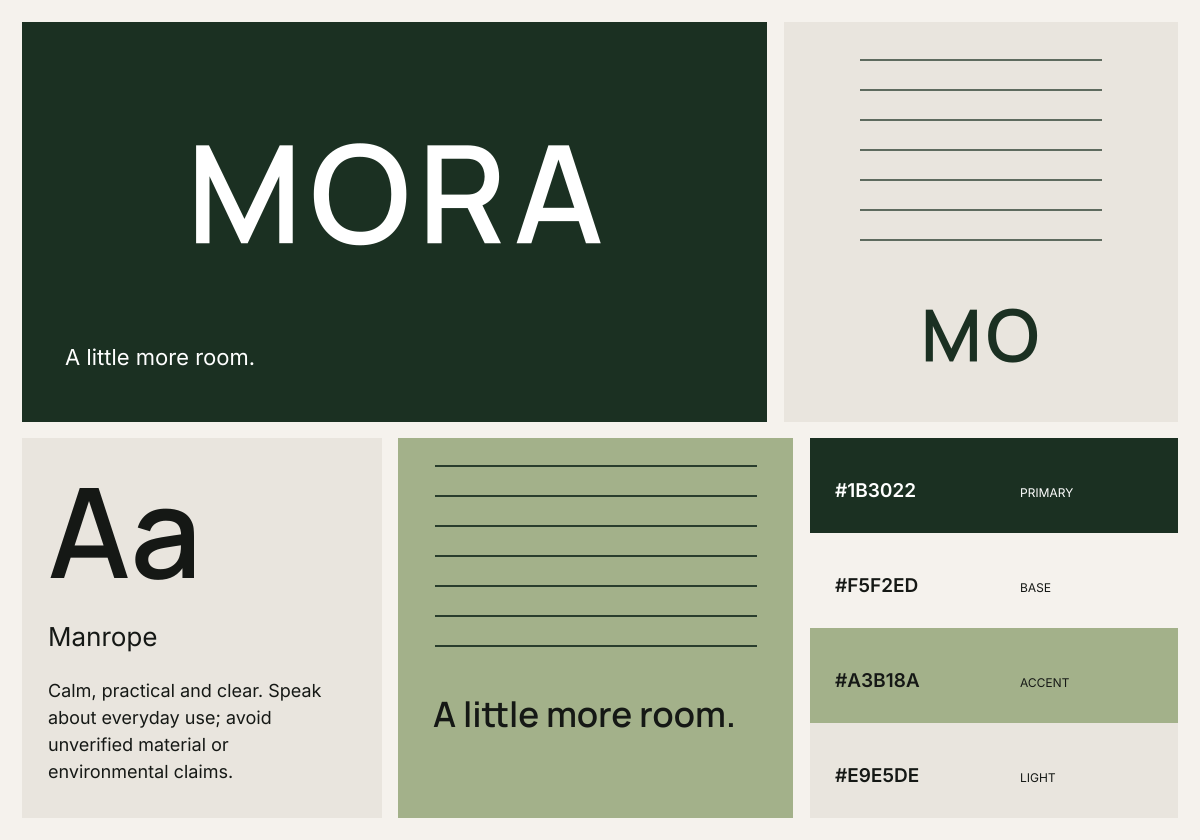
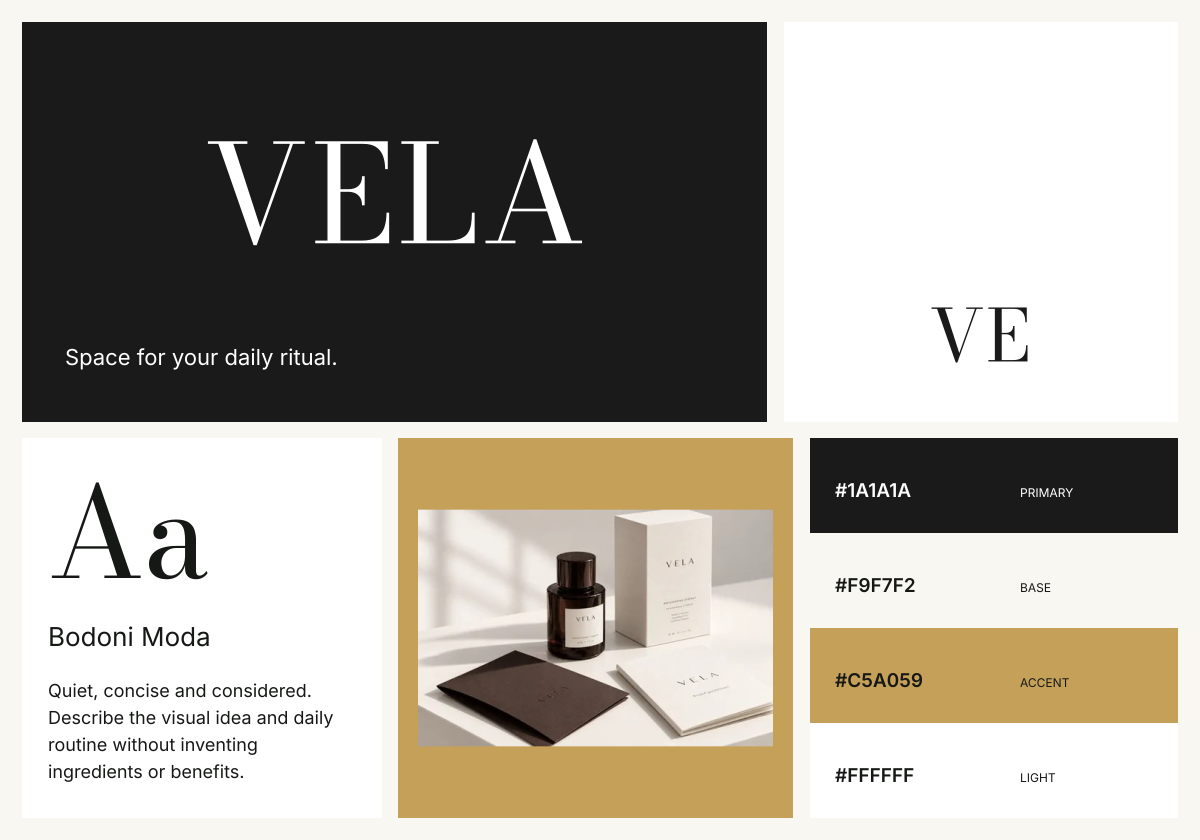
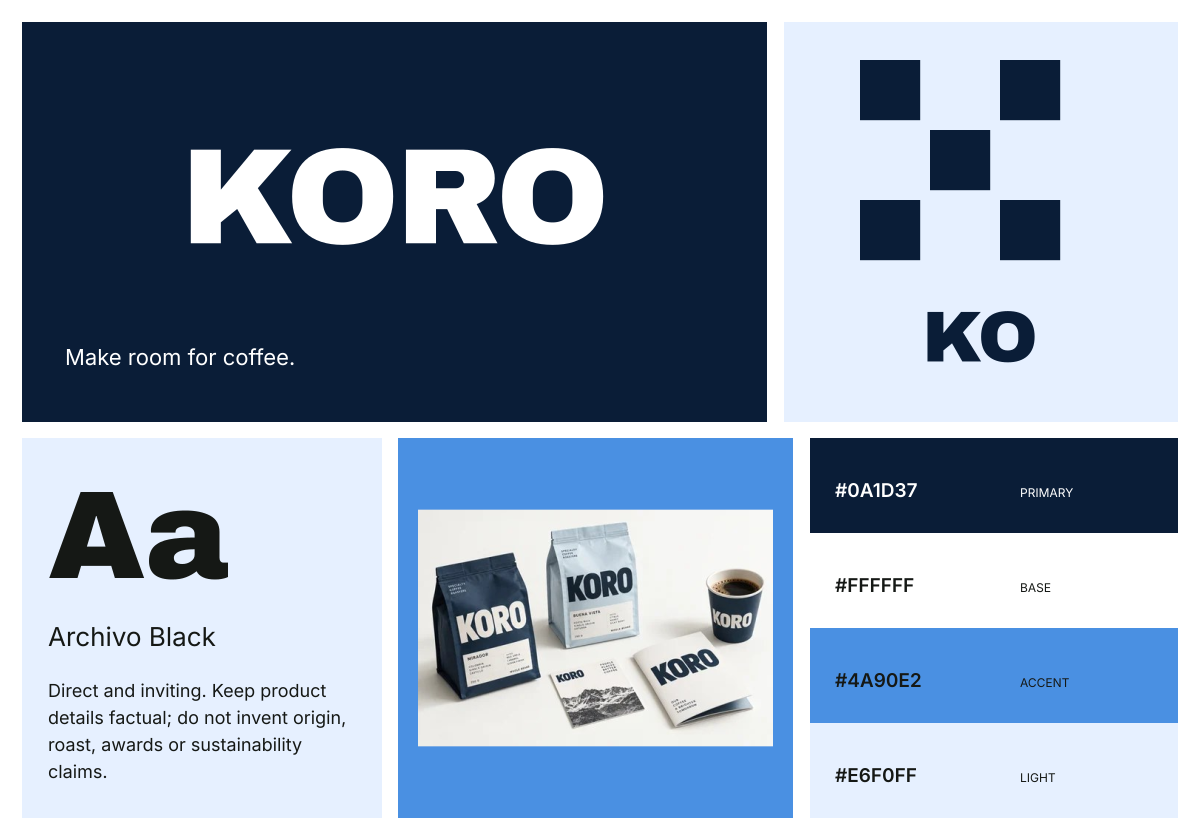
MORA, VELA and KORO are fictional demonstration brands. The font names below match the selected direction and downloadable studio files. Compare each headline with its supporting text before adapting the rules for your own brand.
| Example | Display face | Supporting fonts | Decision to examine |
|---|---|---|---|
| MORA / modern | Manrope | Inter 400 / 600; Noto Sans SC for supported Chinese text | Use the display weight to establish hierarchy, then keep paragraph copy quieter. |
| VELA / editorial | Bodoni Moda | Inter 400 / 600; Noto Sans SC for supported Chinese text | Compare the serif headline with the simple supporting text at the final output size. |
| KORO / bold | Archivo Black | Inter 400 / 600; Noto Sans SC for supported Chinese text | Keep the heavy display face for short statements; compare smaller product details in Inter. |
Write a typography style guide someone can apply
Record the family, exact weight, size, line height and intended application for every role. The table below is an illustrative starting specification for a separately implemented website using the MORA font direction. These are proposed values for this exercise, not a measurement of Brandfolia's studio exports or a universal type scale.
| Role | Family / weight | Wide-screen size / line height | Narrow-screen size / line height |
|---|---|---|---|
| Page title | Manrope / 600 | 40 px / 44 px | 32 px / 36 px |
| Paragraph | Inter / 400 | 16 px / 24 px | 16 px / 24 px |
| Label or caption | Inter / 600 | 14 px / 20 px | 14 px / 20 px |
Start with normal letter spacing for this web exercise. Change it only after checking real words, punctuation and line breaks. Keep a record of any change. A social image uses a different canvas and viewing scale; print artwork needs physical-size proofs. Do not copy the CSS pixel values into every application.
Document fallbacks, language coverage and licenses
For a website you implement, record what should appear if a font does not load. An example body stack is Inter, Arial, sans-serif; the replacement can have different widths, so test it with your longest heading and a real paragraph. A CSS fallback does not add missing characters to a font file or change a previously exported image.
The studio uses the selected bundled display face with Inter and Noto Sans SC language support. Check every script, accented character and symbol you need in the actual result. Unsupported characters or a different fallback may require a different type choice or revised layout.
Read the bundled Manrope, Bodoni Moda, Archivo Black, Inter and Noto Sans SC license notices. Keep the notices with the font sources. Additional fonts you bring into another editor need their own license review.
Test the typography before the handoff
- Use the real longest brand or product name, a paragraph, prices if relevant, and every required character. Look for clipped text, awkward wrapping or missing glyphs.
- Check the smallest essential text at the actual viewing size. Review the foreground and background with the color contrast checker; one passing pair does not approve the entire design.
- For a website, inspect narrow and wide layouts and the fallback font. For print, inspect a physical-size proof. For a social post, inspect the exported image on a phone.
- Compare the final guide with the files the recipient receives. Record the exact font files, source version, owner and open changes in the worksheet.
Use the worksheet with your brand guidelines
Download the blank typography guidelines worksheet, fill in the font sources and role specification, and record your tests. It is a free editable text file; no account is required. It does not import into Brandfolia or add custom type-scale controls to the studio.
To inspect the existing type directions, open the free MORA sample, compare a different style and review fresh exports. Keep the final font rules beside your brand color palette and brand voice examples in the brand guidelines template. Use the file-format guide when handing over sources.