1. Write a brief with explicit unknowns
MORA’s saved brief describes a fictional home-storage brand for small spaces. It asks for a calm identity and provides no product photograph. It does not establish a material, manufacturing process, environmental benefit or real company history. Those facts remain unknown throughout this exercise.
The original sample includes recorded AI-assisted direction work. This particular revision uses the saved identity and the existing renderer, with no new AI generation. Its purpose is to make editing and export reproducible, not to present an independently tested commercial redesign.
2. Freeze a baseline before changing anything
Keep the original name, profile and board so you can describe the actual difference. The starting identity uses the modern style, a line motif and the four colors shown in the table. Its tagline is “A little more room.”
Download the baseline identity JSON and baseline board PDF. These are exported from the saved sample, not reconstructed from a screenshot.
3. Change two decisions, then compare
| Field | Before | After | Reason for this exercise |
|---|---|---|---|
| Tagline | A little more room. | Room for the everyday. | Make the everyday-use idea explicit without adding a product claim |
| Accent color | #A3B18A | #B96E46 | Explore a warmer accent while keeping the main identity stable |
| Primary / base / light | #1B3022 / #F5F2ED / #E9E5DE | Unchanged | Keep a controlled comparison |
| Style / motif | Modern / lines | Unchanged | Avoid changing every variable at once |
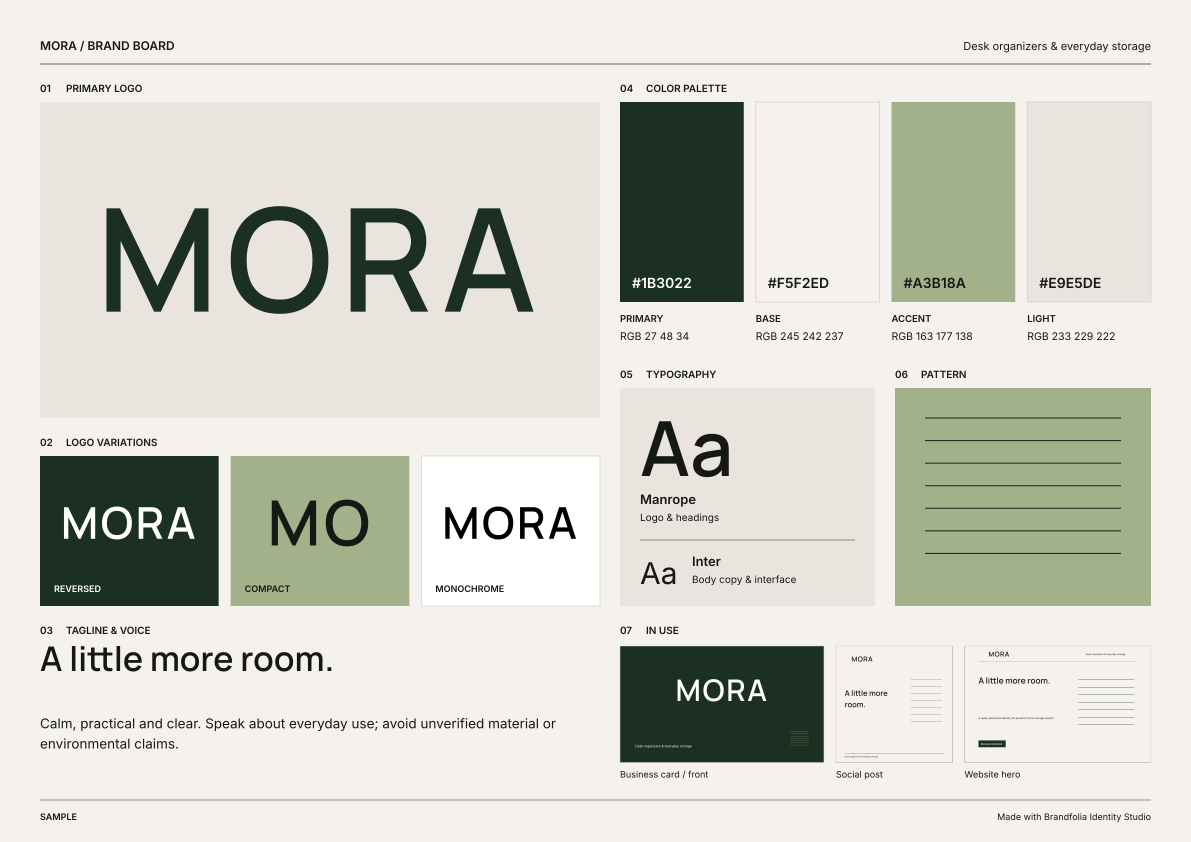
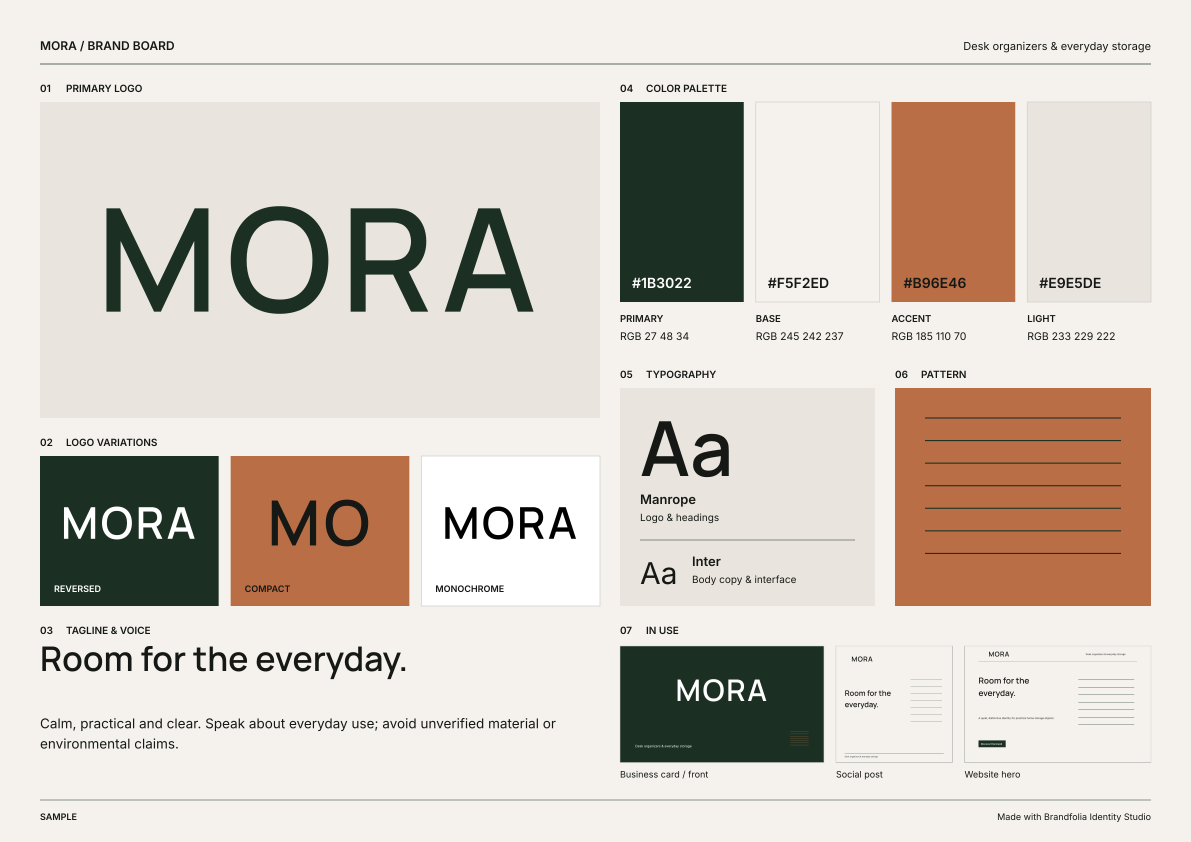
Both images are actual exports from the same board renderer used by the Identity Studio. There is no photograph or uploaded logo in this example. The changed wording and accent appear in the board’s relevant sections; unrelated profile information remains intact.
4. Reproduce the result in the studio
- Download the revised identity JSON.
- Open the MORA studio sample.
- Choose Backup & import, then Import project or brand JSON, and select the downloaded file. Import replaces the current editor identity, so save your own work first.
- Check the tagline and accent against the table. Inspect the Brand board row and export SVG or PDF.
- Compare the result with the provided files. PDF metadata can differ between exports; compare the page, text, colors and layout rather than expecting identical PDF bytes.
Sample editing and export need no account. This exercise does not use the paid AI-creation flow. Use the contrast checker for any text/background pair you intend to use; a warmer accent is not automatically a better text color.
5. Keep the editable source with the review copy
The JSON preserves the identity values. The SVG has its lettering converted to outlines, so changing words is easier by editing the profile and exporting again. The PDF is a one-page A3 landscape review copy. Neither file supplies print-production approval or trademark clearance.
Download the revised board PDF, revised board SVG, or complete before-and-after package. The package contains both identity JSON files, both board PDFs, both board SVGs and the decision log.
6. Record what is still a judgment
The files prove that the stated edits can be reproduced. They do not prove that customers prefer the revision or that it improves sales. For a real brand, ask the responsible person whether the message is accurate and whether the applications support the actual business task. Record that decision separately from a successful export.
For the full handbook workflow, follow how to create a brandbook. For a quick reference, see the brand board guide. This article focuses on a controlled revision and its evidence, rather than repeating the complete handbook tutorial.