About the example: AUREL is an original fictional brief with curated identity settings. The images are actual Brandfolia exports, not customer work, product photography or evidence of a live AI run. The AUREL case page records the inputs and design choices.
Start with the collection and the buying decision
Describe the collection without relying on an adjective such as “luxury.” Is the buyer comparing everyday accessories, choosing a gift or evaluating a made-to-order piece? Write the occasion, the information they need and the surfaces they will see. A small card, a product detail page and a collection announcement are a useful first set.
AUREL explores an editorial identity for a fictional jewelry and accessories collection. Its brief leaves metals, stones, dimensions and prices unspecified. The design can demonstrate lettering and hierarchy; it cannot establish craftsmanship, provenance, composition or product value.
Define a wordmark rule at the smallest useful size
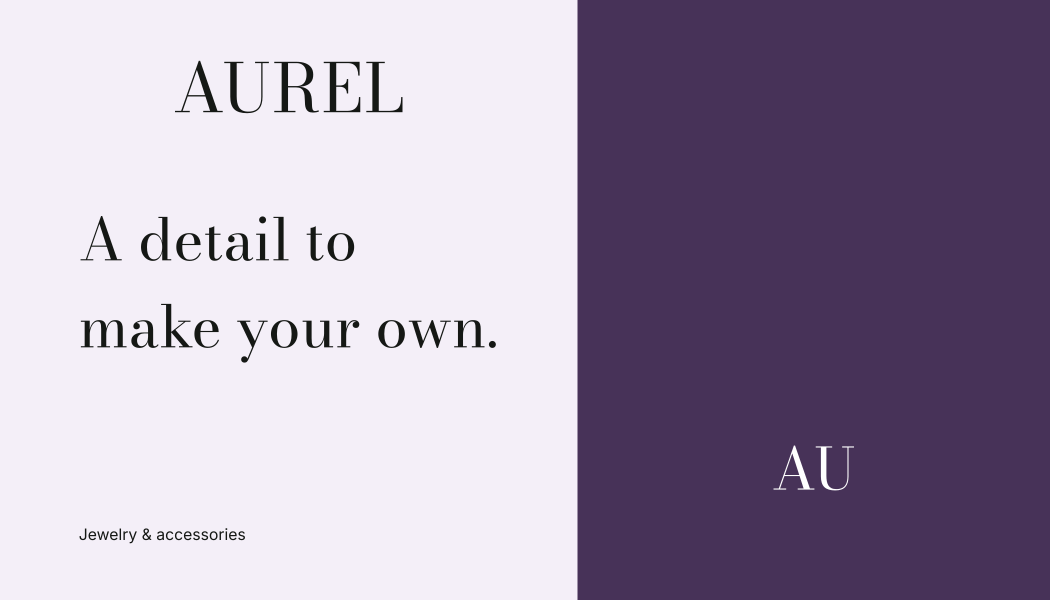
AUREL uses Bodoni Moda for the signature and supporting sans-serif copy for a different reading role. Its fine strokes make a small-format check especially useful. Start with the actual dimensions from your card or packaging supplier, place the wordmark at that size and inspect a proof. Record the smallest version you have approved for that process; do not copy a universal minimum from an unrelated brand.
Compare the full name, reversed version and compact mark from the source kit. If the name becomes difficult to read, make it larger, simplify the surrounding layout or choose a more suitable type direction in the editor. Avoid treating a successful large-screen preview as approval for foil, embossing or tiny hangtags.
Keep palette, materials and photography distinct
The sample uses plum #473258 and lilac #B8A0C9 as graphic colors. They do not describe a metal or gemstone. In a real collection, put material descriptions in a separate product record and use the owner’s verified terminology consistently across cards, listings and captions.
| Image | What it should answer | Review before publishing |
|---|---|---|
| Whole piece | What is its complete shape? | Retouching has not changed proportions or removed actual features. |
| Detail | What does the visible finish or fastening look like? | The image belongs to the same item and variant as the listing. |
| Scale reference | How large is it in context? | Reference and stated dimensions describe the actual piece; a styled image is not a measurement. |
| Collection composition | How do the items relate visually? | Included items are clear; props are not presented as part of the purchase. |
Keep the original photographs and record which item each image depicts. Use consistent lighting and background direction, but compare the final image to the real piece so a color grade does not silently change the apparent stone color or metal finish. AUREL supplies no product photos; the table is a brief for your own shoot.
Build a card hierarchy that can carry real information
Use the brand name to identify the maker or seller, the collection or piece name to identify the item, and a separate area for relevant details. If a care instruction is needed, obtain wording appropriate to the actual material and construction. Brand tone is a style choice; it cannot determine whether a cleaning method is suitable.
The sample business card can establish the lettering and spacing direction. Turning it into a backing card requires the supplier’s dimensions, attachment points and printable areas. The packaging design brief gives those unanswered questions a place to live.
Run a small, reproducible AUREL exercise
- Save any current studio work, then open the AUREL sample. Sample editing and export require no account or AI credits.
- Replace the tagline with one short collection message. Compare the business card, label concept and social square; inspect the longest wording at each size.
- Review the changed applications together. Use Export brand kit for the guide and source files; use Backup & import to save an editable project backup.
- Compare your exported files with the decisions in the worksheet. Editing the source profile and exporting again is the easiest way to change wording in SVGs whose lettering has been outlined.
Creating a new AI proposal from your own brief is a separate workflow requiring an account and paid credits. See current pricing and allowances.
Download the actual AUREL brandbook to inspect how the identity is documented, or the source kit to keep the matching files. Neither supplies photographs, verified product descriptions or a supplier-approved backing card.
Finish with a scale-and-claims review
Download the jewelry review worksheet includes the filled AUREL design direction plus a blank record for actual dimensions, imagery, statements and approvals. For each statement, record the evidence and owner before it enters the card or product page. Words such as “handmade,” “recycled” or a named precious metal should come from product evidence, not from the desired mood.
Keep the approved review with your identity JSON and dated exports. Use the brand typography guide for type roles and the social media branding guide when extending the collection into reusable posts. This guide covers identity presentation; it is not material verification or legal labeling advice.